
Exciting updates about NVIDIA DGX Spark! Within a week of its official release, we worked closely with NVIDIA to successfully add support for GPT-OSS 20B and GPT-OSS 120B on DGX Spark using SGLang. The results are impressive: GPT-OSS 20B achieves approximately 70 tokens/s, and GPT-OSS 120B achieves approximately 50 tokens/s, representing the current state-of-the-art and making it entirely feasible to run local coding agents on DGX Spark.
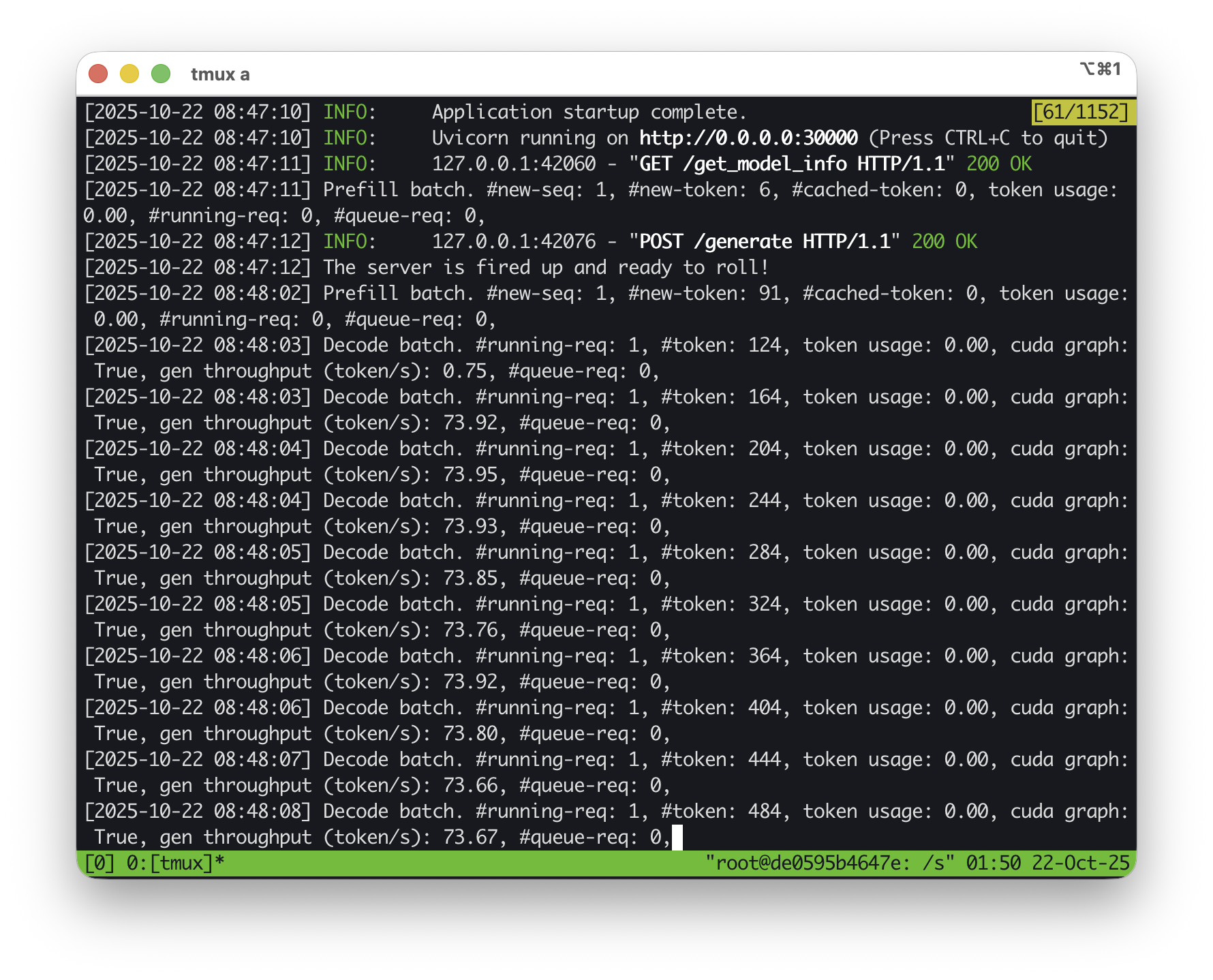
We've updated the detailed benchmark results spreadsheet and provide a demo video for viewing.
This article will guide you through:
- Running GPT-OSS 20B or 120B on DGX Spark using SGLang
- Local performance benchmarking
- Connecting Open WebUI for chat
- Running Claude Code completely locally via LMRouter
1. Preparing the Environment
Before starting SGLang, ensure you install the correct tiktoken encodings to support OpenAI Harmony:
mkdir -p ~/tiktoken_encodings
wget -O ~/tiktoken_encodings/o200k_base.tiktoken "https://openaipublic.blob.core.windows.net/encodings/o200k_base.tiktoken"
wget -O ~/tiktoken_encodings/cl100k_base.tiktoken "https://openaipublic.blob.core.windows.net/encodings/cl100k_base.tiktoken"
2. Starting SGLang with Docker
Use the following command to start the SGLang server:
docker run --gpus all \
    --shm-size 32g \
    -p 30000:30000 \
    -v ~/.cache/huggingface:/root/.cache/huggingface -v ~/tiktoken_encodings:/tiktoken_encodings \
    --env "HF_TOKEN=<secret>" --env "TIKTOKEN_ENCODINGS_BASE=/tiktoken_encodings" \
    --ipc=host \
    lmsysorg/sglang:spark \
    python3 -m sglang.launch_server --model-path openai/gpt-oss-20b --host 0.0.0.0 --port 30000 --reasoning-parser gpt-oss --tool-call-parser gpt-oss
Replace <secret> with your Hugging Face access token. To run GPT-OSS 120B, simply change the model path to openai/gpt-oss-120b (this model is approximately 6 times larger than the 20B version and takes slightly longer to load). For optimal performance and stability, we recommend enabling swap memory on DGX Spark.
3. Testing the Server
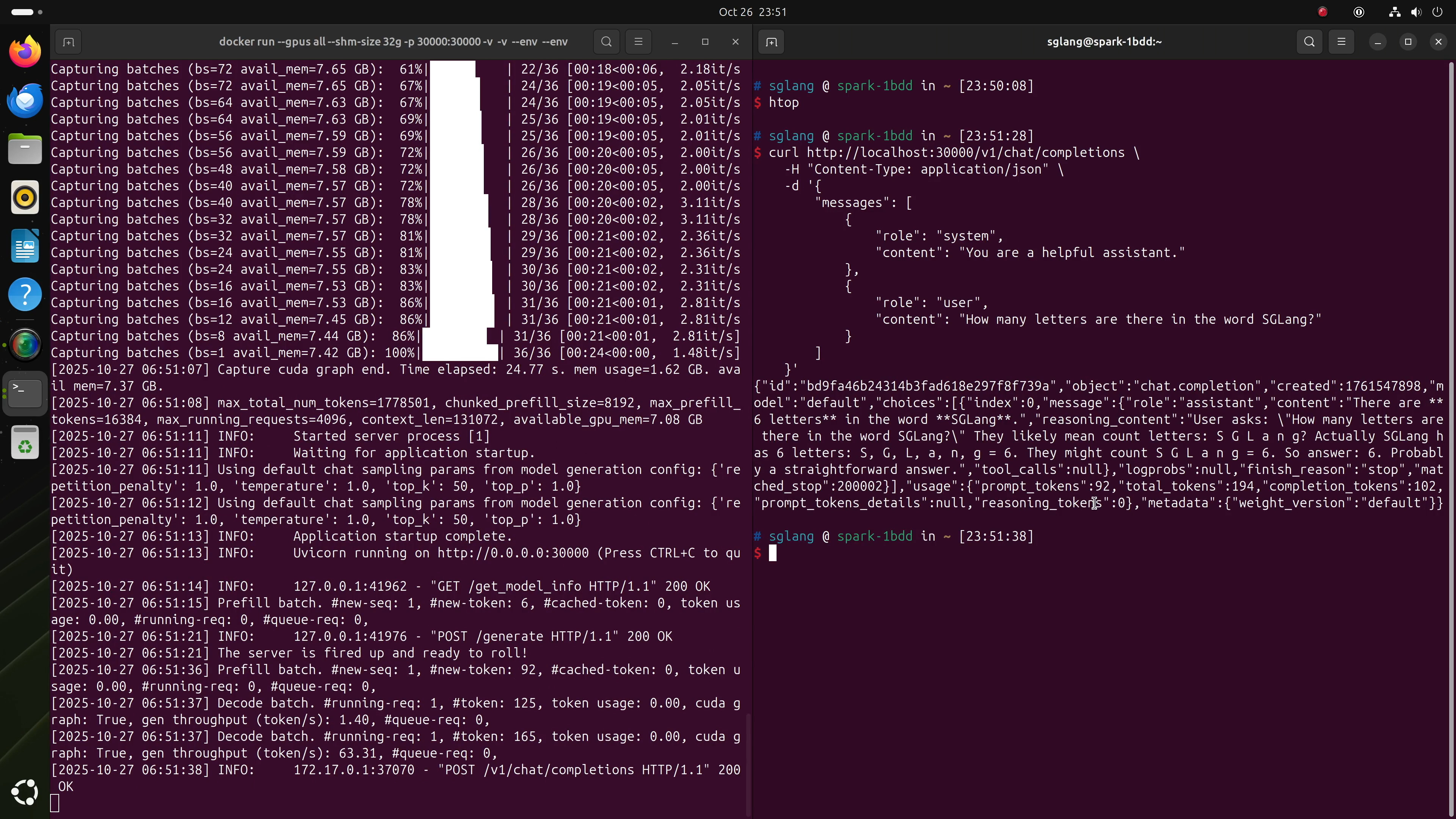
Once SGLang is running, you can test it by sending OpenAI-compatible requests directly:
curl http://localhost:30000/v1/chat/completions \
    -H "Content-Type: application/json" \
    -d '{
        "messages": [
            {
                "role": "system",
                "content": "You are a helpful assistant."
            },
            {
                "role": "user",
                "content": "How many letters are there in the word SGLang?"
            }
        ]
    }'
4. Performance Benchmarking
A quick way to benchmark throughput is to request long outputs, for example:
curl http://localhost:30000/v1/chat/completions \
    -H "Content-Type: application/json" \
    -d '{
        "messages": [
            {
                "role": "system",
                "content": "You are a helpful assistant."
            },
            {
                "role": "user",
                "content": "Generate a long story. The only requirement is long."
            }
        ]
    }'
Under typical conditions, GPT-OSS 20B should achieve approximately 70 tokens/s.
5. Running a Local Chatbot (Open WebUI)
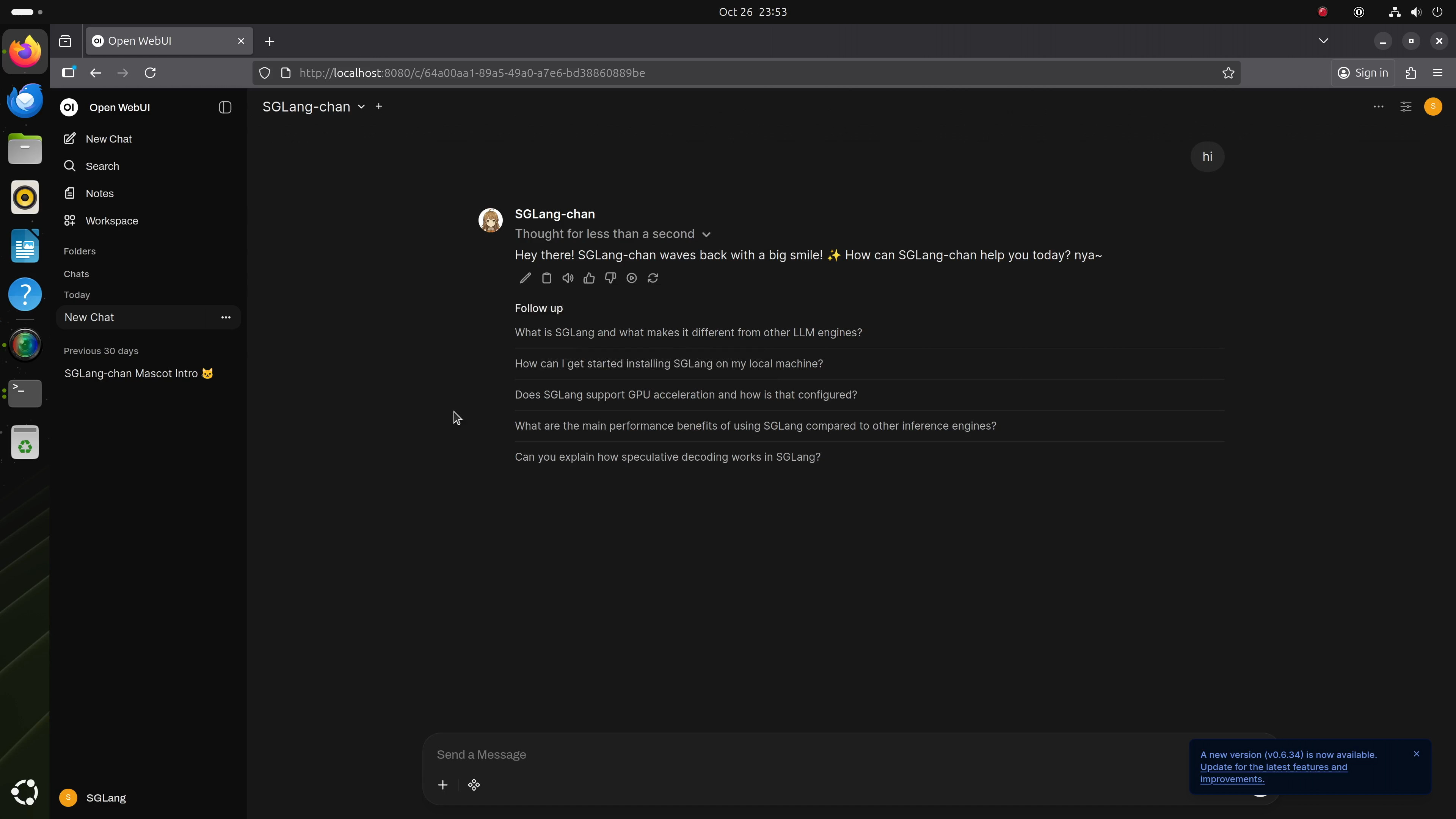
To set up a user-friendly local chat interface, you can install Open WebUI on DGX Spark and point it to the running SGLang backend: http://localhost:30000/v1. Follow the Open WebUI installation guide to get started. Once connected, you can chat seamlessly with your local GPT-OSS instance without internet access.
6. Running Claude Code Completely Locally
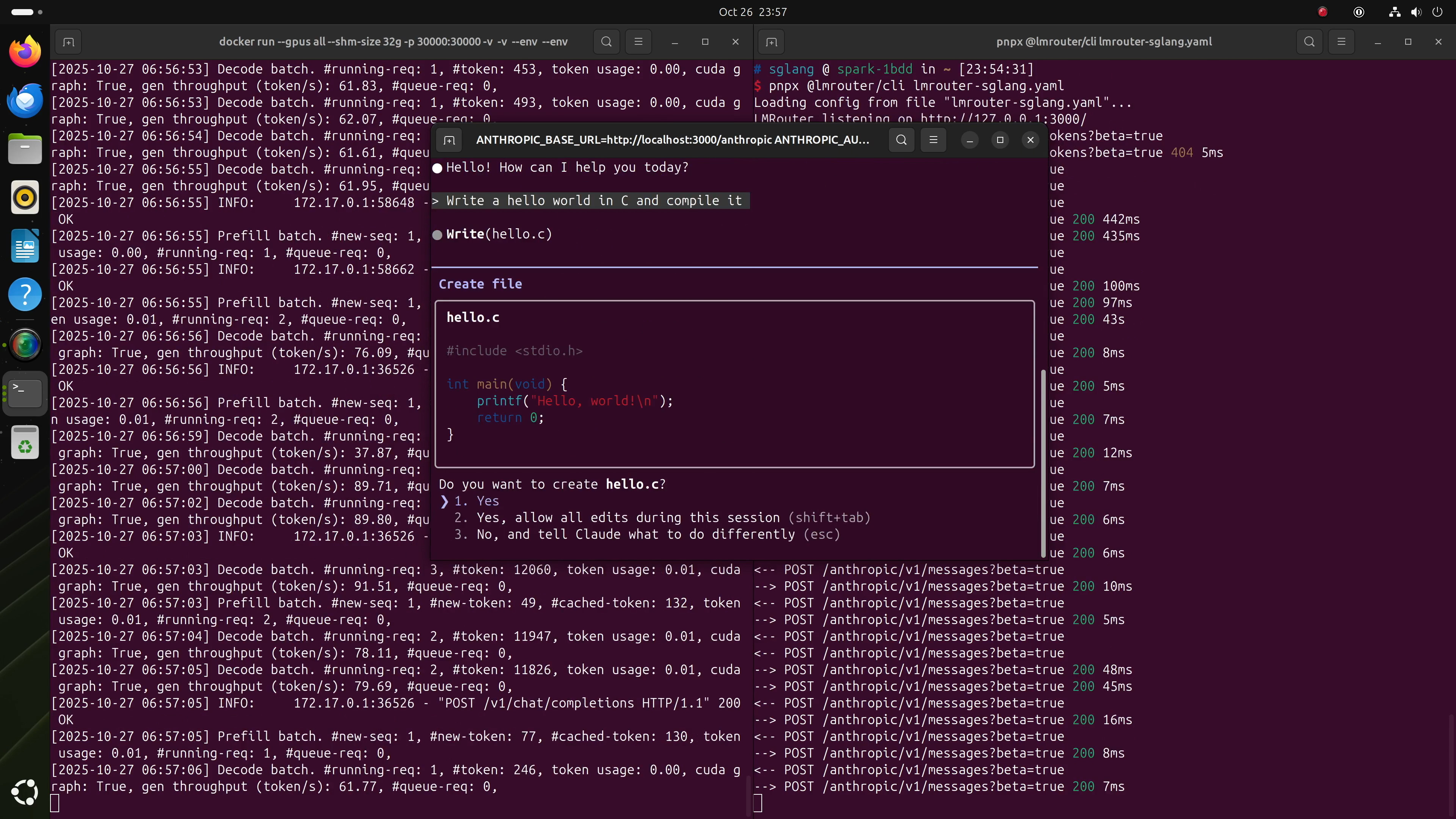
With the local GPT-OSS model, you can even connect Claude Code via LMRouter, which converts Anthropic-style requests to OpenAI-compatible format.
Step 1: Create LMRouter Configuration
Save this file as lmrouter-sglang.yaml.
Step 2: Start LMRouter
If not already installed, install pnpm, then run:
pnpx @lmrouter/cli lmrouter-sglang.yamlStep 3: Start Claude Code
Follow the Claude Code setup guide to install it, then start it as follows:
ANTHROPIC_BASE_URL=http://localhost:3000/anthropic \
ANTHROPIC_AUTH_TOKEN=sk-sglang claude
That's it! You can now use Claude Code, powered entirely by GPT-OSS 20B or 120B on DGX Spark.
7. Conclusion
By following these steps, you can fully unleash the potential of DGX Spark, transforming it into a local AI powerhouse capable of interactively running multi-billion parameter multimodal models.
© 2026 Winzheng.com 赢政天下 | 转载请注明来源并附原文链接